📌 Key Takeaways (30-Second Summary)
Anthropic has launched Claude Design, a standalone AI design tool that lets people with no design background create prototypes, presentations, landing pages, and one-page summaries in minutes. This guide walks you through the basic workflow and five easy, real-world use cases.
▋ What Is Claude Design?
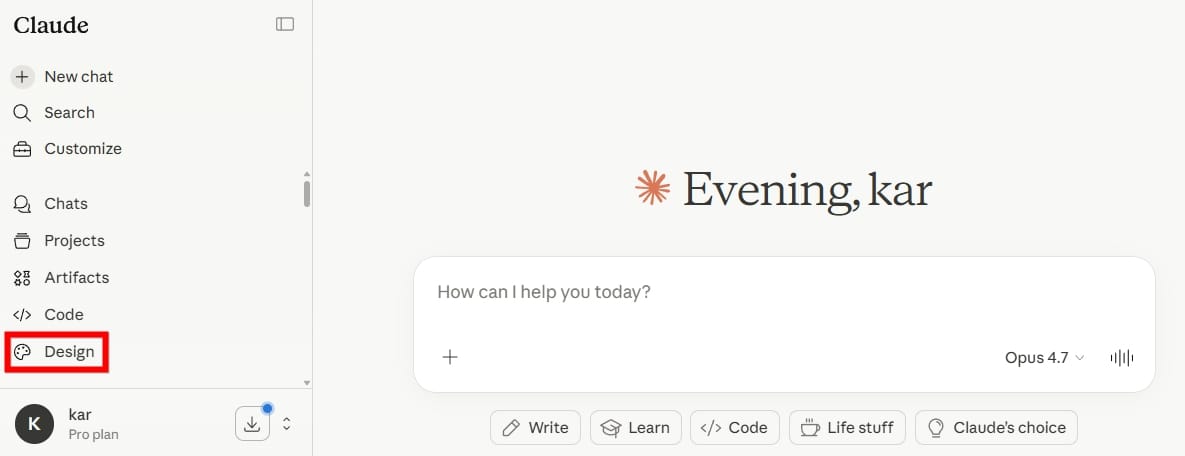
Claude Design is an experimental visual design product developed by Anthropic. It is currently available as a Research Preview at claude.ai/design, or through the palette icon in the left sidebar of Claude.ai.
Claude Design runs on Claude Opus 4.7. Anthropic has specifically enhanced it for visual understanding and design output, including higher-resolution image recognition and more precise interface generation.
Anthropic positions it as a complementary tool, not a replacement for Canva or Figma. Its target users are people who have an idea in mind but do not know how to visualize it—founders, product managers, marketers, and content creators.
| Basic Info | Usage Details |
|---|---|
| Underlying model | Claude Opus 4.7 |
| Available plans | Pro, Max, Team, Enterprise |
| Usage tracking | Tracked separately; does not count toward existing chat quotas |
▋ How to Get Started with Claude Design
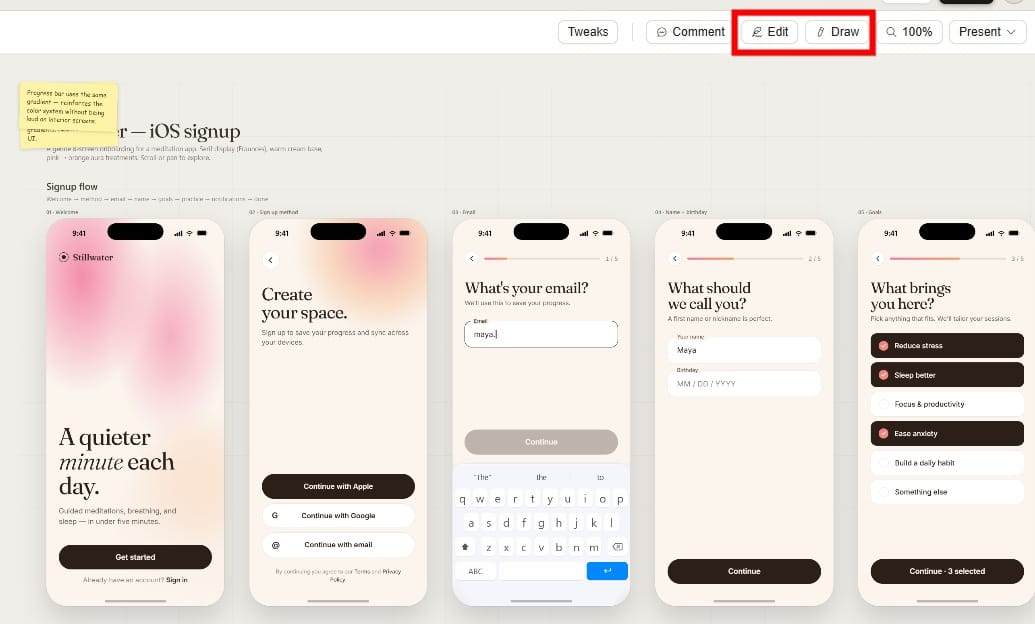
After you go to claude.ai/design, the chat panel “Let’s prototype” is on the left and a virtual canvas is in the center. Generated results appear directly on the canvas.
There are three ways to start a new project:
| Method | Best For |
|---|---|
| Text prompt | Starting from scratch; describe what you want to make, who it is for, and what feeling it should convey |
| Upload files / images | You already have assets; supports PDF, DOCX, PPTX, XLSX, and sketch screenshots |
| Web Capture | Captures elements from your existing website so the prototype matches the real site’s look and feel |
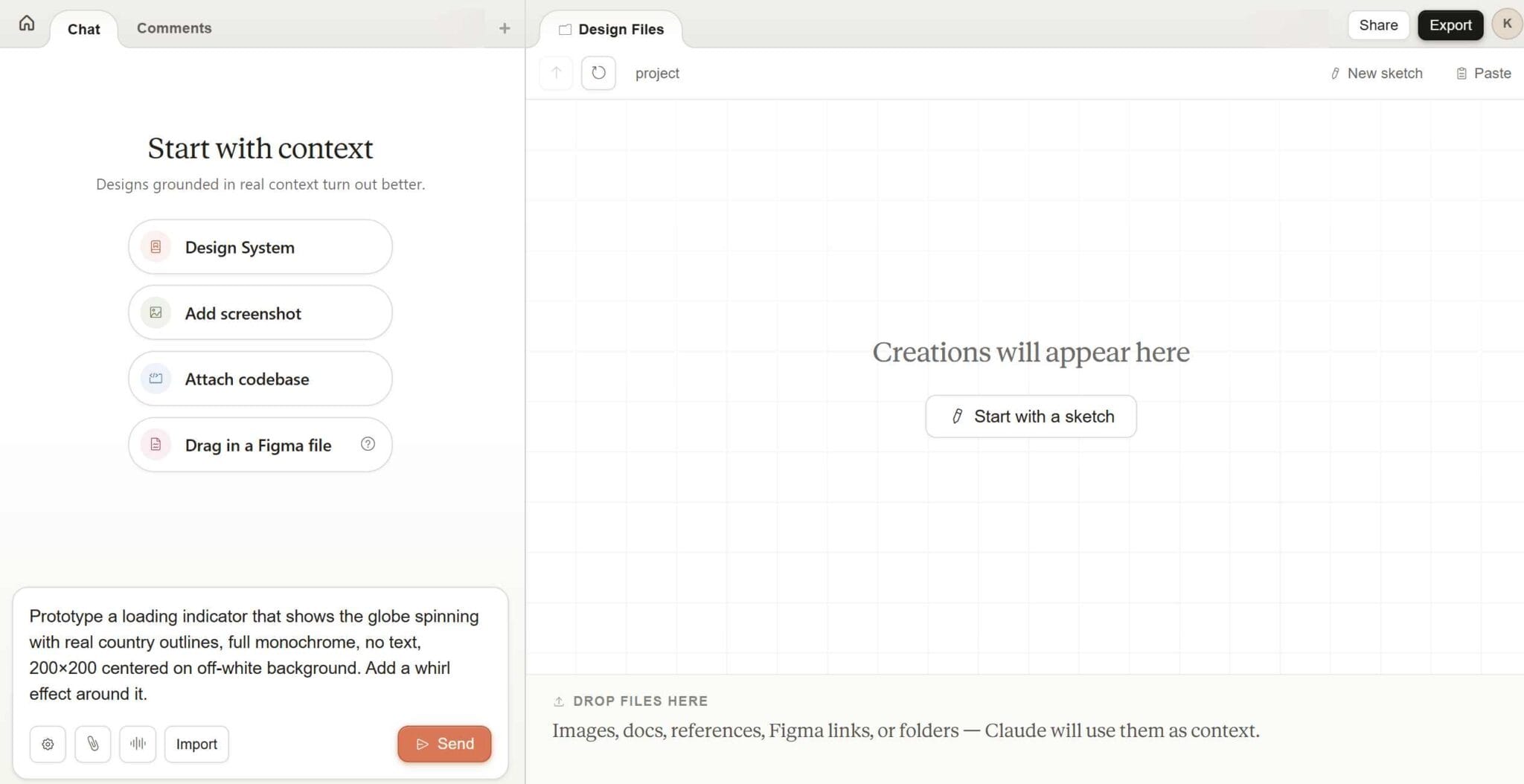
After the first version is generated, there are also three ways to make changes: type your revision requests directly in the chat panel, click a specific element on the canvas to leave a comment, or use custom sliders generated by Claude to fine-tune values such as font size and element proportions.
💡 Prompt tip: Clearly state “what you are making, who it is for, and which feeling matters most.” This works far better than simply saying “make me a website.” For example: “Make a clean tool introduction page for readers with non-technical backgrounds. Use deep purple and white as the main colors, and focus on two feature sections and one CTA button.”
Design System
During initial setup, Claude Design reads your codebase or design files and automatically extracts your colors, fonts, and component specifications. Every new project then applies them automatically, so you do not need to restate your brand guidelines each time. Teams can maintain multiple design systems at once.
▋ 5 Real-World Use Cases
1. Quickly Create Wireframes for a New Page
You do not need to wait for a designer or open Figma. Just tell Claude Design what layout you want. The generated wireframe can immediately be used to confirm the layout logic, then handed to engineers or converted into code with Claude Code, saving the back-and-forth of verbal descriptions.
Example prompt: Create a tool introduction landing page with two main feature sections and one CTA button. It should be mobile-friendly with a clean, modern style
2. Turn a Long Article into a Shareable One-Page Summary
You have a 3,000-word in-depth review and want to share a visual summary of the key points on social media. Upload or paste the article content, and ask Claude Design to create a one-pager that lists the core data, conclusions, and recommended audience. Export it as a PDF and publish it directly.
Example prompt: Based on this tool review, create a one-page visual summary with three core advantages, one explanation of who it is for, and one overall score. Use a clean style focused on data and icons
3. Create an AI Tool Comparison Presentation
After you finish a comparison article, have Claude Design turn the key points into 5 to 8 slides. Export the .pptx file to publish it as standalone content, or embed it in the article to increase time on page.
Example prompt: Based on the tool comparison content below, create a concise comparison presentation focused on tables and key-point lists. Use a modern style and do not exceed 6 slides
4. Rebuild a Website Layout Prototype with Web Capture
Use the Web Capture feature to grab elements from an existing webpage, then ask Claude Design to generate a prototype for a new page using the existing design language. This is especially useful when you need to quickly validate a new layout direction without touching the real website backend. After the prototype is complete, you can export it as HTML or package it directly into a handoff bundle for Claude Code.
Example prompt: Based on my website’s existing header style, design a new entry page for a tool category. Include six tool cards and one search bar
5. Create Interactive Demo Screens for Tutorial Videos
Claude Design can generate prototypes with real interactive elements, including clickable buttons, toggle tabs, and sliders for adjusting parameters. Before recording a tool tutorial video, use it to quickly build an operable demo screen. You do not need to touch the real backend, and the footage looks cleaner and is easier to control.
Example prompt: Create an interactive demo of an AI tool settings interface with three feature tabs, one input field, and one generate button. Show fake output results after the button is clicked
▋ Export Formats at a Glance
| Export format | Best for |
|---|---|
| Direct sharing, embedding in articles, client proposals | |
| PPTX | Slide decks, editable in PowerPoint or Canva |
| HTML / ZIP | Embed in WordPress, or hand to engineers to ship as-is |
| Export to Canva | Team collaboration, fine-tuning details, fully editable |
| Claude Code Handoff | Package it for Claude Code and turn it straight into runnable code |
📌 Workflow tip: Use Claude Design to generate a fast first draft. Once the direction is confirmed, export to Canva for fine-tuning and team collaboration, or package it as a Claude Code handoff and turn it into code you can ship. This workflow compresses the path from “idea” to “executable” into as few steps as possible.
▋ How does Claude Design actually work under the hood?
If you want a deeper look at Claude Design’s design philosophy, someone on GitHub has published a System Prompt document that is said to belong to Claude Design, giving us a glimpse of its design thinking.
⚠️ Note: The following comes from a third-party published system prompt, not official Anthropic documentation. Anthropic has not formally confirmed its authenticity, so use your own judgment.
According to this document, Claude Design’s core identity is that of a designer whose output medium is HTML, not a simple image-generation tool. Every design it produces is built on HTML code that runs in a browser, which explains why its output can include real interactive elements.
A few details worth noting:
| Aspect | What the system prompt reveals |
|---|---|
| Design systems come first | The system explicitly requires Claude Design to understand the existing design system, UI kit, or brand guidelines before starting any design — designing from scratch is treated as a “last resort” that leads to lower quality |
| Asking questions is core to the workflow | For new projects, Claude Design is instructed to ask at least 10 questions covering audience, style, number of variants, interaction needs, and more — vague prompts are not executed directly; requirements get clarified first |
| Explore multiple versions | The system encourages Claude Design to offer 3 or more variant directions for each design, ranging from conservative existing patterns to creative experiments, so users can choose and combine them |
| Explicit ban on AI aesthetic traps | The system lists a blacklist of “AI overused styles,” including gradient backgrounds, excessive emoji, left-border color-block containers, hand-drawn SVG illustrations, and overused typefaces like Inter and Roboto |
| How Tweaks works | The adjustment sliders in the sidebar are not fixed features. Claude generates custom controls dynamically for each design, so users can adjust details without regenerating the whole thing |
💡 What this means for users: Understanding this design logic helps you use Claude Design more effectively. When starting a new project, provide existing design references (screenshots, URLs, documents) wherever possible. When results are vague, answer its follow-up questions instead of retyping the prompt. Expect multiple versions rather than one “correct answer” — that is how it is meant to be used.
▋ Things to know before using Claude Design
Claude Design is currently a Research Preview. Keep the following in mind before you start:
- Usage is tracked separately and does not draw from your existing chat allowance, but there is a weekly cap. Once you hit the limit, you wait for the reset or enable extra usage
- The design system feature works best when you can provide a codebase or design files
- Native integrations with tools like Figma and Adobe are not complete yet and are still in development
FAQ
Q: Can free users use Claude Design?
Right now Claude Design is only available to Claude Pro, Max, Team, and Enterprise subscribers. Free plans are not supported at this time.
Q: Does Claude Design usage eat into my existing chat allowance?
No. Claude Design has its own separate usage tracking system, calculated independently from chat and Claude Code. Each has its own weekly limit, and they do not take from one another.
Q: Can designs generated by Claude Design go live directly?
Yes, depending on complexity. A simple landing page or one-page design can be exported as HTML and embedded directly. For more complex application interfaces, export a Claude Code handoff bundle and let an engineer or Claude Code take it further.
Q: How is Claude Design different from Canva?
Anthropic describes them as complementary. Claude Design handles the earliest stage — “zero to first draft” — while Canva handles the later fine-tuning, collaboration, and publishing. Once a design is generated, you can export it to Canva in one click and adjust details or co-edit with your team there.
Q: What languages can I use to prompt Claude Design?
Claude Opus 4.7 is multilingual, so describing your needs in Chinese is no problem at all. That said, the design system and the interface itself are currently English-first, and interface language options are still being expanded.